
Imagine walking into a grocery store wearing a bright neon sign that displays your home address, your phone carrier, and exactly which neighborhood you live in to everyone you pass. While this sounds like a privacy nightmare in the physical world, it describes exactly how most people interact with the internet today. Every computer or smartphone connects to the web using a unique string of numbers called an IP address, which acts as a permanent digital fingerprint revealing your identity to every website you visit. The best guide to finding residential proxies.
Websites and marketers treat this information as a commodity. Industry practices reveal that advertisers rely on your specific IP to build comprehensive profiles of your daily habits, tracking everything from the news articles you read to the shoes you buy. It is not just about aggressive marketing; whenever you connect without protection, your physical location and Internet Service Provider (ISP) are visible to the server on the other end, leaving a trail of breadcrumbs across the web.
Regaining control over this data is the only way to ensure secure browsing. By replacing your personal identifier with a neutral one, you effectively take off the name tag, stopping third parties from logging your activity. Hiding your real location is the essential first step toward digital anonymity, and this is where setting up an anonymous proxy changes the game.
Meet Your Digital Bodyguard: What is a Proxy?
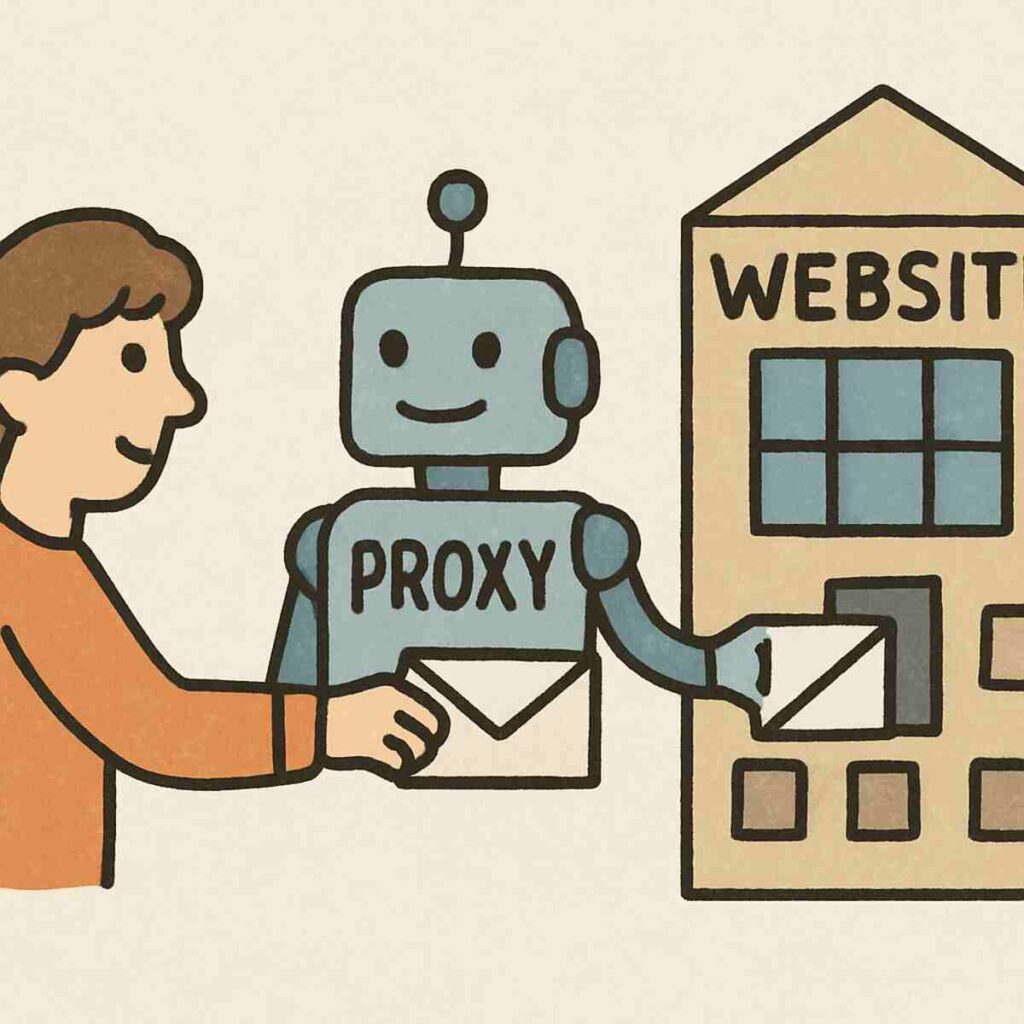
You already know that your IP address acts like a digital home address, revealing your location to every website you visit. A proxy server changes this dynamic by stepping in as a protective buffer. Think of it as a personal assistant you hire to run errands. Instead of walking into a store yourself, you send your assistant. The store owner sees the assistant and interacts with them, while you stay safely at home, completely anonymous.
When you use a proxy, your internet traffic takes a detour designed to shield your identity. Rather than connecting directly to a site like Netflix or Google, the proxy handles the interaction for you through three distinct steps:
- Requesting: You tell the proxy which website you want to view.
- Masking: The proxy swaps your personal IP address with its own “middleman” address.
- Delivering: The website sends the information back to the proxy, which then quietly hands it off to you.
This setup ensures that the destination website never makes direct contact with your actual device. It sees the proxy’s “digital mask,” not your face. However, simply having a middleman isn’t the whole story. Just as there is a major difference between riding a crowded public bus and driving a private car, the performance and security you get depend entirely on whether you have to share that proxy with strangers.
The ‘Public Bus’ vs. ‘Private Car’: Why Dedicated Proxies Win
Imagine relying on public transportation during rush hour to get to work. While a public bus will eventually get you to your destination, you are at the mercy of the driver’s schedule and forced to squeeze in with dozens of strangers. Shared proxies function exactly like this crowded transit system; they are often free or cheap because hundreds of users are cramming onto the same server simultaneously. A dedicated proxy, by contrast, is the equivalent of buying your own private vehicle. You are the only driver, you choose the route, and the seat is always reserved just for you.
Performance is usually the first casualty when you opt for shared options. Since everyone on the server is pulling from the same pool of data, a single user downloading massive files can clog the “digital pipes” for everyone else, resulting in buffering videos and sluggish browsing. By switching to non-shared network resources, you eliminate this competition. You get access to the full speed of the connection 100% of the time, ensuring that your movie streams clearly or your concert tickets are purchased instantly without any interference from data-hungry strangers.
Ownership extends beyond just speed; it fundamentally changes how websites perceive you. When you utilize a private IP address for secure browsing, that specific digital identity belongs solely to you for the duration of your lease. In a shared environment, the website sees one IP address acting like a chaotic crowd, but with a dedicated address, it sees a single, consistent user. This distinction is critical because, on the internet, you are often judged by the company you keep—or in this case, the unknown people sharing your IP address.
Avoiding the ‘Bad Neighbor’ Effect Online
When websites analyze your connection, they judge you based on the reputation and history of your IP address. This creates a significant risk known as the bad neighbor effect online. Since shared proxies group hundreds of users under one digital identity, a single person using that connection for spamming or suspicious activity can tarnish the reputation of the entire group. It is comparable to sharing a credit card account with strangers; even if you spend responsibly, the bank will freeze the card for everyone if just one person attempts a fraudulent transaction.
Security systems are designed to aggressively block these compromised addresses to protect their content. If you are on a shared proxy, you might find yourself banned from streaming services or unable to log into social media, even though you did nothing wrong personally. The only reliable method regarding how to prevent IP blacklisting is to secure an address that strictly you control. By using a dedicated proxy, you ensure that no one else’s bad behavior can trigger a security ban that locks you out of your favorite sites.
Recognizing the symptoms of a “dirty” shared IP address can save you hours of troubleshooting frustration. Common signs that your current connection is suffering from the bad neighbor effect include:
- Frequent “Verify you are human” (CAPTCHA) puzzles interrupting your browsing.
- Being blocked from major retail sites or streaming platforms without cause.
- Your emails automatically going to the recipient’s Spam folder.
- Social media accounts getting flagged for suspicious activity immediately after login.
Once you decide to upgrade to a private connection to protect your reputation, the next step is determining whether that digital address should come from a residential home or a data center.
Residential vs. Datacenter Proxies: Which One Fits Your Life?
When you buy a dedicated proxy, you first need to ask where that digital address physically lives. A residential proxy is assigned by a standard Internet Service Provider (ISP), just like the Wi-Fi connection currently running in your living room. Because these addresses are linked to actual physical homes, websites view them as highly trustworthy regular users rather than automated bots. This provides genuine internet service provider level anonymity, making it the ideal choice for sensitive tasks like managing Instagram accounts or shopping on strict retail sites where looking like a real human is crucial to avoid detection.
On the other side of the spectrum are addresses generated in massive commercial server farms known as data centers. These proxies are built for raw power and incredible speed, functioning like a private race track for your data that bypasses the congestion of home networks. While they are usually more affordable and faster, they lack that domestic appearance. Streaming services like Netflix can sometimes identify these commercial IP ranges easier than home-based ones, so understanding the trade-off in residential vs data center proxies is the key to avoiding unexpected blocks.
Choosing the right tool depends entirely on whether you prioritize stealth or speed in your daily browsing. If your goal is to buy limited-edition sneakers or access banking portals without triggering security alarms, the “real person” camouflage of a residential IP is worth the extra investment. However, if you simply want a faster connection for general anonymity or gaming, a datacenter IP is a powerful and cost-effective solution. Once you have selected the right vehicle for your digital journey, you can finally drive past regional borders and unlock content from anywhere in the world.
Bypassing Geo-Restrictions: Accessing the Global Web
Have you ever tried to watch a video or buy a product, only to be blocked by a message stating the content is unavailable in your region? This happens because your IP address acts like a digital passport, telling every website exactly which country you are in. An anonymous proxy solves this by swapping your real passport for a local one. If you are in London but want to access a site that only serves New York, a dedicated proxy based in the US makes the website believe you are physically browsing from Manhattan, granting you immediate entry.
This capability extends far beyond just unlocking different movies on Netflix. Bypassing geo-restrictions for streaming is the most popular use, but savvy users also utilize this location-shifting power for smarter shopping. Airlines, hotels, and software companies often adjust their prices based on the buyer’s location. By browsing as a “local” in a different region, you can often find significant discounts or access exclusive items that aren’t sold in your home country, effectively giving you a global shopping pass.
Putting this into practice is surprisingly simple once you have a dedicated service. To start traveling virtually, follow these basic steps:
- Log into your proxy dashboard and navigate to the “Location” or “Country” settings.
- Select the specific country where the content or price you want is available.
- Activate the connection to instantly change your digital location.
Now that you have access to the entire globe, the next priority is ensuring your connection is fast enough to handle the data load without buffering.
The Performance Boost: Unlimited Bandwidth and High-Speed Connections
Nothing ruins a movie night faster than the dreaded buffering wheel spinning in the center of your screen just as the plot thickens. When you add a middleman like a proxy, to your connection, many users naturally fear their internet speed will drop significantly. While this is a valid concern for free or public services, where thousands of users crowd onto a single server, a premium setup eliminates this bottleneck.
Think of your internet connection like a major highway. On a shared proxy, you are essentially stuck in rush hour traffic with hundreds of other users fighting for space on the road, causing “traffic jams” that slow down your data delivery. A dedicated proxy offers the benefit of non-shared network resources, which acts like a private express lane reserved solely for your vehicle. Because you are the only one traveling on this specific route, there is no congestion to slow down your data, regardless of how many other people are online at that moment.
This exclusive access ensures an unlimited bandwidth and high-speed connection capable of handling heavy tasks with ease. Whether you are streaming your favorite show in crystal-clear 4K resolution or downloading large game files, the stability remains constant because no one else is eating up your data allowance. With the speed issues resolved and your connection stable, the final piece of the puzzle is understanding the specific “language” your proxy uses to communicate with websites, known technically as protocols.
Decoding the Alphabet Soup: HTTP and SOCKS5 Protocols
Even the fastest private lane requires your computer to communicate effectively with the websites you visit. In the world of proxies, this communication style is determined by “protocols.” You don’t need to be a programmer to choose the right one; simply think of it as choosing the right delivery method. Sometimes you need a standard envelope for a letter, and other times you need a heavy-duty shipping crate for cargo.
For most daily tasks, the HTTP protocol is your standard envelope. It is designed specifically to interpret web pages, making it the perfect choice for browsing news sites, comparing prices on Amazon, or general research. Because it understands the structure of websites, it efficiently handles text and images directly within browsers like Chrome or Safari. If your goal is simply to view a website that is usually blocked in your area, this is your go-to option.
When you need to move heavy data without the proxy trying to “read” it first, the SOCKS5 protocol is the superior choice. This protocol acts as a universal courier that moves any type of data—not just web pages—from point A to point B securely. Because it handles raw data packets, it is often faster and more reliable for activities that require high performance or exist outside of a web browser.
Quick Selection Guide:
- Use HTTP for: General browsing, online shopping, and accessing blocked websites.
- Use SOCKS5 for: Video streaming, online gaming, torrenting, and apps like Skype or Telegram.
With the technical foundation set and your connection optimized for speed, you are ready to tackle one of the most common reasons people switch to dedicated proxies: safely managing multiple social media profiles without triggering security alarms.
Managing Multiple Social Media Accounts Safely
Most social platforms operate like strict security guards who monitor exactly where you are coming from. If you try to run a personal profile, a business page, and a hobby account all from your home Wi-Fi, the platform sees all that traffic coming from one single location. This creates a hidden “link” between your accounts. If one account accidentally breaks a rule or gets flagged for spam, the platform can easily follow that digital trail back to your other profiles, potentially locking you out of everything at once.
Dedicated proxies act as the ultimate partition for your digital life, ensuring that managing multiple social media accounts safely is actually possible. By assigning a unique, dedicated IP address to each separate profile, you make it appear as though every account is being operated by a different person on a completely different device. This isolation is crucial because it prevents the algorithms from detecting a pattern of bulk activity, which is often mistaken for bot behavior even when you are just manually posting updates for your business.
This strategy is particularly vital if you are managing accounts for others or traveling while working. Logging into a client’s New York-based business account from a hotel in Tokyo often triggers an immediate security lock because the location jump looks suspicious to the platform. A dedicated proxy keeps your connection grounded in the correct region, keeping the account stable regardless of where you physically open your laptop. With the strategy defined, the only remaining challenge is ensuring you don’t buy a low-quality proxy that does more harm than good.
Choosing Your Provider: Red Flags to Watch For
It is tempting to search for the cheapest option available, but bargain hunting in the world of internet security acts like a trap. Think of a proxy provider like a locksmith for your digital home; you would not trust a discount locksmith who refuses to show their license or reviews. Many low-quality services recycle used IP addresses that have already been banned by major websites, defeating the entire purpose of paying for a dedicated proxy. To ensure you are getting a clean slate rather than inheriting someone else’s digital baggage, you must prioritize reputation over the lowest price tag.
Marketing language can be tricky, so you need to look specifically for an “Exclusive Usage” guarantee in the service terms. Some companies use the word “private” loosely, placing you in a small group of users rather than giving you sole ownership of the connection. True isolation is the only way to guarantee a private IP address for secure browsing, ensuring that no one else’s activity impacts your speed or access. If the provider cannot explicitly promise that you are the absolute only user on that specific address, it is safer to look elsewhere.
Before committing to a monthly or yearly subscription, use this quick vetting checklist to separate reliable hosts from the rest:
- Check Verified Reviews: Look for feedback on independent sites like Trustpilot, specifically searching for mentions of “clean IPs” or “uptime.”
- Test Support Speed: Send a pre-sales question via chat or email. If they take days to answer a simple question now, they won’t be available when you have a real technical issue later.
- Refund Policy: Ensure they offer a money-back guarantee if the specific proxy doesn’t work with your intended website.
Once you have secured a trustworthy provider, the final step is actually connecting it to your internet browser.
Step-by-Step: Configuring Your Browser (Chrome & Safari)
Owning a dedicated proxy is like having a VIP pass to an exclusive club; it only provides value if you actually show it at the door. Until you input your new credentials, your browser continues using the standard public entrance, leaving your connection exposed. Setting up a custom proxy server might sound intimidating, but modern browsers like Chrome and Safari have simplified the process into a “set it and forget it” task. Most browsers simply piggyback off your computer’s system settings, meaning you only need to configure this once to protect your entire browsing session.
Because both Chrome and Safari rely on your operating system’s network preferences, the process is remarkably similar regardless of which icon you click. Follow this universal path to secure your connection:
- Access Settings: Open your browser menu and navigate to “Settings” (or “System Preferences” on a Mac).
- Search “Proxy”: Use the search bar within the settings menu to quickly locate “Open Proxy Settings” or “Change Proxy Settings.”
- Select Manual Configuration: Look for a toggle or button labeled “Manual Proxy Setup” or “Web Proxy (HTTP).”
- Input Your Data: Copy the IP Address and Port number provided by your host into the matching fields.
- Authenticate and Save: Click “Save” or “Apply.” When you first load a webpage, a prompt will ask for your Username and Password—enter them to finalize the link.
Correctly inputting these details is crucial because maintaining a stable, consistent identity is exactly how to prevent IP blacklisting. If your settings are loose or switch back and forth between your real IP and the proxy, websites may flag the behavior as suspicious. Once you click save, your digital traffic is immediately re-routed through your private lane. However, if pages refuse to load or the internet seems to cut out completely after this step, don’t worry—it is usually a simple typo or a firewall hiccup that can be fixed in minutes.
Troubleshooting Proxy Connection Errors Like a Pro
Nothing kills the excitement of enhanced privacy faster than seeing a “No Internet” dinosaur or a “Proxy Server Not Responding” message immediately after setup. Before you assume the server is broken, double-check your data entry. In the vast majority of cases, a connection failure is simply the result of a mistyped IP digit or the wrong port number. Think of this like dialing a phone number; if you get even one digit wrong, the call simply won’t connect, no matter how good your reception is. Go back to your settings and verify that the numbers match exactly what your provider sent you, paying close attention to ensure no extra spaces were pasted in by accident.
Security software installed on your computer can sometimes be too overprotective, creating another common hurdle. Antivirus programs or built-in firewalls occasionally mistake your new, secure connection for an intruder because the traffic is being routed differently than usual. It acts like a zealous security guard refusing to let a VIP into the building because they don’t recognize the new car they arrived in. If your numbers are correct but the connection still fails, briefly pause your firewall or whitelist the browser to see if that resolves the blockage.
Occasionally, you might encounter a specific website that simply refuses to load while your digital mask is on. Troubleshooting proxy connection errors often requires a quick isolation test to see if the issue is with the proxy or the website itself. The fastest way to check is to toggle your proxy settings off for a moment and reload the page; if it works immediately, the site may have strict filters blocking non-standard connections. Once you have ironed out these wrinkles and the pages are loading smoothly, the next logical step is confirming that your “digital costume” is actually convincing by testing your anonymity.
Testing Your Anonymity: How to Tell if It’s Working
Turning the switch on is only half the battle; you need to confirm that your digital disguise is actually effective. It is easy to assume you are protected just because your settings menu says “Connected,” but a true anonymous proxy should completely replace your location data with its own. The simplest test is visiting a locator website immediately after connecting. If the map on the screen places you in your actual living room rather than the location of the server you selected, your mask has slipped, and you need to reconfigure your settings.
Even if your location looks correct, there is a sneakier issue called a “DNS Leak” that can sometimes give you away. Think of this like sending a letter with a fake return address, but accidentally using an envelope branded with your real company’s logo. Your computer might still be asking your local Internet Service Provider to look up website names for you, inadvertently revealing your identity despite the proxy. A private IP address for secure browsing should handle these requests directly, ensuring that neither the website nor your internet provider knows what you are doing.
To get a clear picture of your security status, use trusted verification tools that check both your visible location and potential leaks. A few reliable options include:
- WhatIsMyIP.com: Great for a glance to ensure your location has changed.
- DNSLeakTest.com: Runs a deeper check to see if your real internet provider is still peeking at your traffic.
- Speedtest.net: Confirms that your added security hasn’t ruined your connection speed.
Once you see the proxy’s IP address and a stable connection, you can browse with confidence knowing your privacy is intact.
Conclusion: Taking the Keys to Your Private Internet
Browsing the web no longer needs to feel like riding a crowded public bus, where you are subject to delays and the unpredictable behavior of strangers. You now hold the keys to your own private vehicle. By choosing a dedicated proxy, you have moved beyond the risks of shared networks and the frustration of “Bad Neighbor” blocks. Your digital reputation is no longer at the mercy of others, and your connection is yours alone—private, consistent, and secure.
Ready to take control of your secure browsing experience? Here is your simple path forward:
- Define your goal: Decide if you primarily need high speed for streaming or maximum privacy for sensitive tasks.
- Select a provider: Look for services specifically offering “static” or “dedicated” IPs rather than shared pools.
- Get your credentials: Locate your unique IP address, port number, and login details provided by the service.
- Configure your device: Enter these details into your browser or computer’s network settings.
- Verify the connection: Visit a “What is my IP” website to confirm your digital location has officially changed.
Adopting a dedicated proxy is a simple tool that solves a complex problem. You no longer need to worry about trackers following you across the web or slow speeds during peak hours. Instead, you have secured non-shared network resources that prioritize your performance and privacy. Enjoy the peace of mind that comes with knowing your digital home address is safe, and the road ahead is wide open.